
Your field team, on one screen
With SetTrack you can follow your staff’s location live, message and call them instantly and automate working hours – all from a single, secure panel.
- Runs in the background
- Privacy-compliant & secure
- No setup required
Features
Everything you need to manage your field team
Location, communication and safety in one app – with a powerful web panel for managers.
Live Location Tracking
Follow your team on a real-time map. Continuous location in the background with low battery consumption.
Instant Chat & Calls
One-to-one and group messaging, voice/video calls (WebRTC). Share photos, files and live location.
Working-Hours Automation
Tracking switches on and off automatically with the start and end of shifts. Managed from the server – no manual work.
SOS Emergency
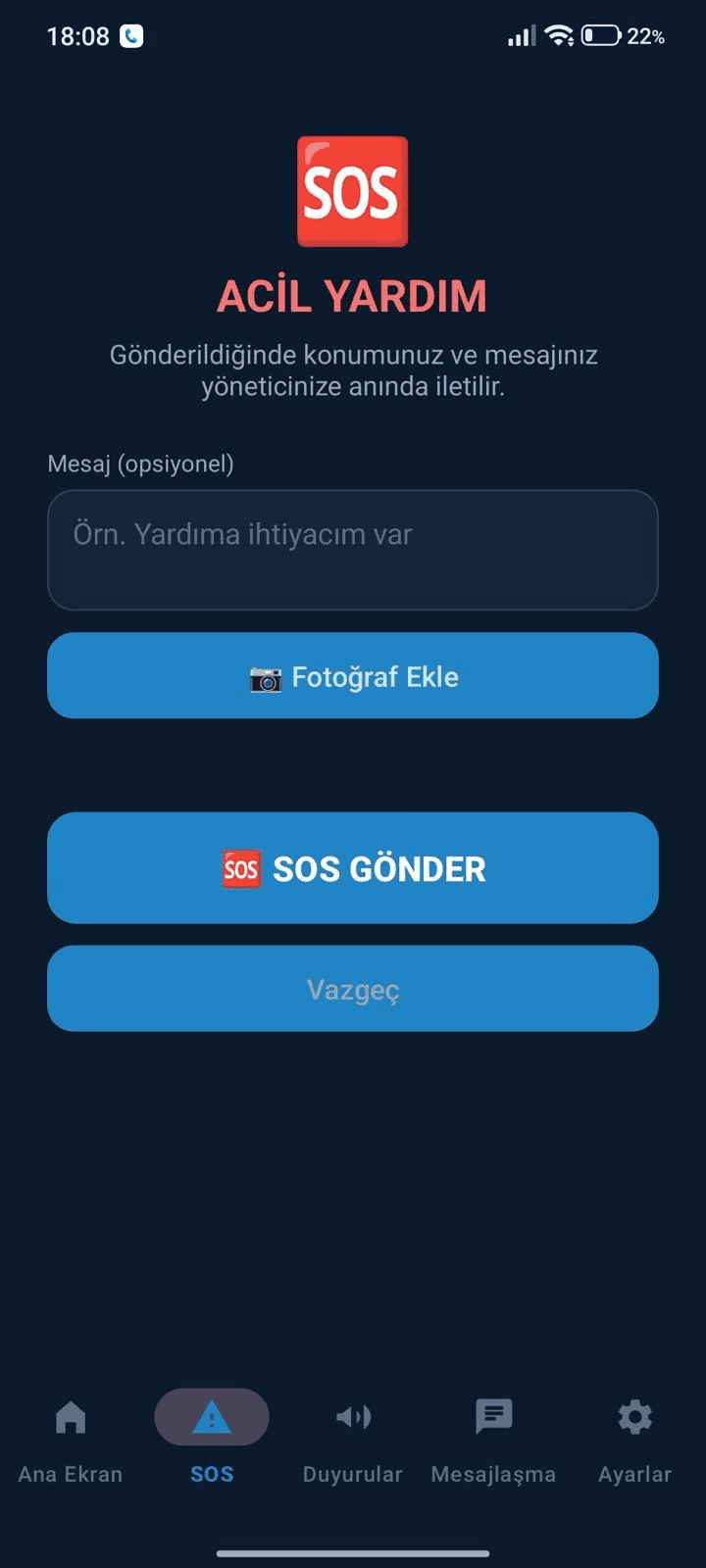
A one-tap emergency alert that reaches managers instantly with location and battery level.
Reports & History
Route history, shift reports and statistics. See team performance at a glance.
Enterprise Security
Transparent consent flow, admin approval, role/permission groups and privacy-compliant data management.
How it works
Ready in three steps
No setup required – see your team in the panel within minutes.
Install the app
Install the SetTrack app on your employees’ phones and grant location permission.
Join with the company code
Enter a name and the company code; once an admin approves, the device is connected to the panel.
Manage from the panel
Live map, chat, reports and all automations in the web panel.
Plans
Choose the plan that fits your team
Start free and upgrade as your team grows. Current prices are on the SetTrack website.
A powerful panel for managers
The SetTrack web panel brings the live map, messaging, alerts, reports and settings together on one screen. Managers can switch tracking on or off remotely, lock it so users cannot stop it, and push location intervals to the device. New devices only join after admin approval.
- Geofences with alerts for zone entry/exit, going offline, low battery and speeding
- Roles and permission groups with a full audit log
- Announcements and admin messages arrive on the device as notifications
- Route history and reports exported to Excel and PDF
Integrated with your CRM and ERP
A REST API secured per company with API keys and scopes lets you feed device, location, user, message and alert data into SetXRM and other CRM, ERP or accounting systems. Webhooks deliver events to your system instantly.
Privacy and data protection
SetTrack is designed to be used with the explicit consent of the tracked employee. Working-hours automation ensures no location is collected outside working hours; each company only sees its own data and every action is written to the audit log.
Get started
Create your free 1-year account, download the Android app and sign in to the web panel. For more details visit track.xrm.com.tr.
FAQ
Frequently asked questions
Can I try SetTrack for free?
Yes. With the Free Starter plan you can use SetTrack free for 1 year with 1 user and 5 devices. Sign-up on track.xrm.com.tr takes just minutes.
Is any setup required?
No. Employees install the app and join with their name and the company code; once an admin approves, the device is connected to the panel. The management panel runs in the browser.
Does it send location when the app is closed?
Yes. SetTrack runs in the background with low battery consumption; tracking continues with the screen off and after a reboot.
Is employee tracking privacy-compliant?
SetTrack works with a transparent consent flow and admin approval. Working-hours automation prevents tracking outside working hours, and we help you set up your notice and consent processes.
Can it integrate with our existing CRM or ERP?
Yes. Using the scope-based REST API and webhooks, data can be sent to SetXRM and other CRM, ERP and accounting systems.
Start managing your field team with SetTrack today
Start free for 1 year – no setup required. If you’d like a tailored demo, our team is happy to help.